
Type to search.
INTRODUCING LEAVE REQUEST MANUAL AND TYPES OF LEAVE
STEP 1. To file a leave request, please select HRM button on our homepage.
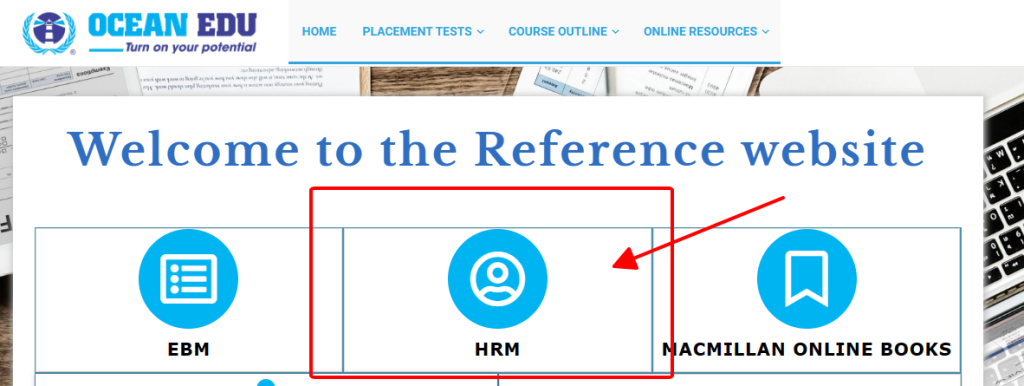
Or, you can paste this link on your browser: https://hrm.ocean.edu.vn:7701
STEP 2. Log in using your HRM account.
STEP 3. Select “Request leave days”
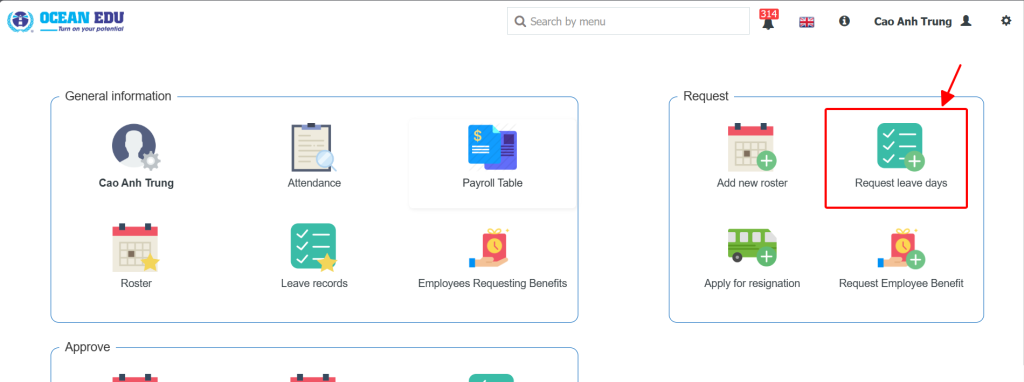
STEP 4. Fill out the required fields: Leave date from … to …; Leave day type …; Leave reason …; and attachments.
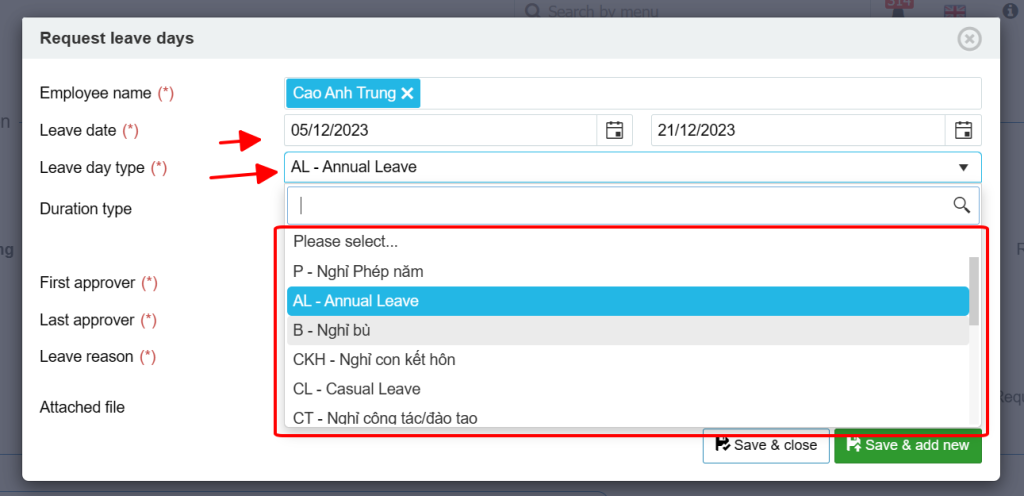
We have some available types of leave for foreign teachers ONLY, as follows:
-
- AL – Annual Leave: served as casual/vacation leave. The request must be submitted as follows:
- 1-2 days: 1 day before the leave
- 3-7 days: 7 days before the leave
- 7-14 days: 15 days before the leave
- 15-30 days: 30 days before the leave
- EL – Emergency Leave: served as leave for unexpected health conditions or events that force you off work on specific days. You must file this leave on, before, or after 1 day.
- Visa/Exit Run: used for teachers who need to do the visa run due to document issues. The duration of this leave is based on the instructions of Ms. Aires and the Legal Department. You must file this leave at least 3 days before the actual date of leave.
- PAID: used for teachers who have paid leave credits. The required amount of time for request submission is equivalent to Annual Leave (AL). Please consult Mr Foxx at least 1 month before you submit PAID leave request to ensure you do it correctly.
- AL – Annual Leave: served as casual/vacation leave. The request must be submitted as follows:
- Note 1: In case you plan to go out of Vietnam, don’t book the tickets before receiving the HR Department’s approval.
- Note 2: All leave types above must have an attachment of the branch manager’s acknowledgement that they are aware of your future absence, or the confirmation of the branch manager that he/she will arrange or request a cover teacher during your absence.
- Note 3: Submissions related to medical conditions require a medical certificate or a hospital’s note as proof if you are forced to rest due to illness.
- Note 4: Emailing is not considered to be the official submission. Please be advised!
STEP 5. Click “Save & close” to submit your request.
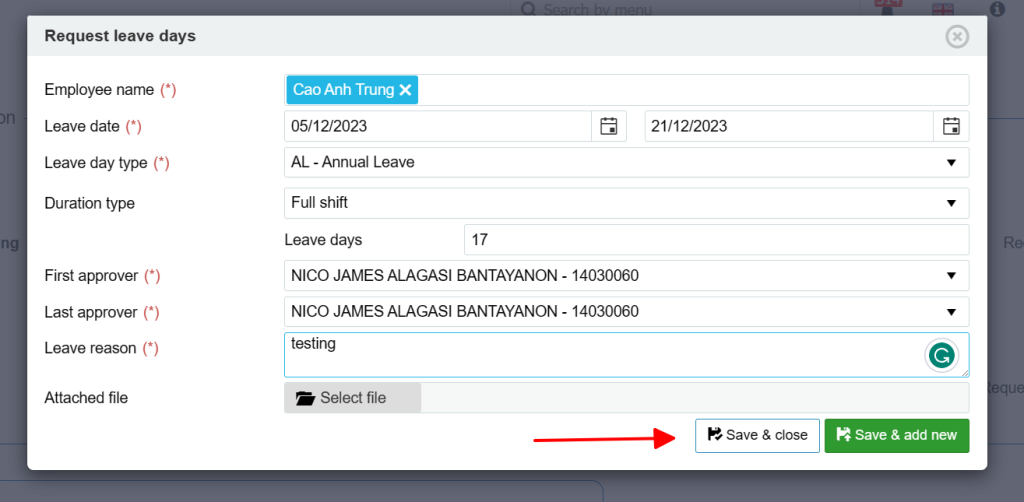
To check the status of your leave request, select “Leave records” on the homepage.

Please be aware that the review of your leave request may take up to 3 to 7 working days.
For urgent matters/special considerations, please contact our interim Training Director, Mr. Mark Byncent Bayuga.